
Invoice Maker - Invoice Fly
Labhouse MobileBusiness
4.73.71K Reviews
- Version
- 2.49.0
- Installs
- 1.00M
- Age Rating
- Everyone
Screenshots
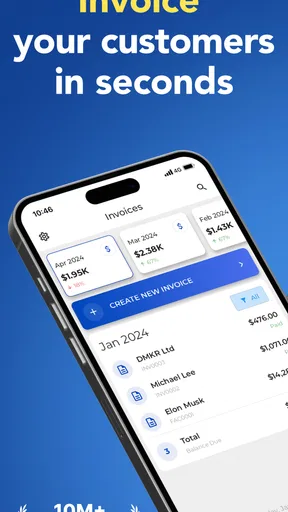
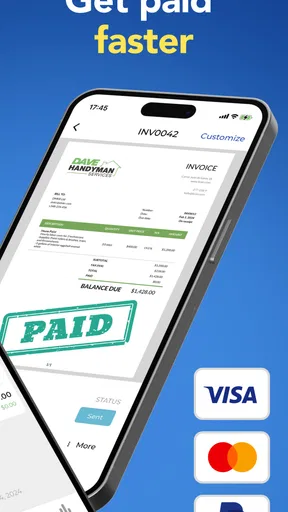
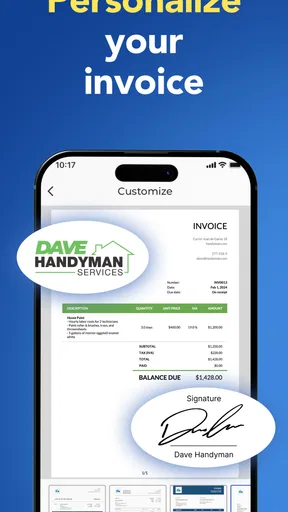
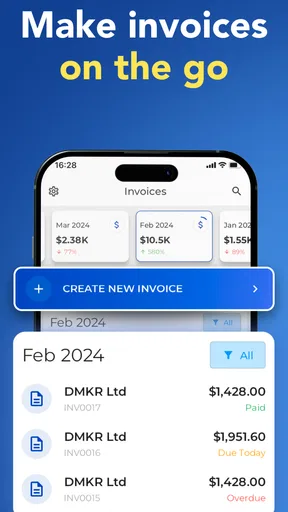
Our Review of Invoice Maker - Invoice Fly
 Analysis by Appyee
I see Invoice Fly as a practical mobile tool for people who need to put together business paperwork without turning every sale into a desk-bound task. Its main appeal is straightforward: create an invoice or estimate while you are away from your computer, then keep related business details close at hand. That makes it most compelling for independent workers and small operators with repeat clients, rather than teams looking for a full accounting system.
Where a mobile invoice maker earns its place
A useful test is whether you can finish an ordinary job quickly. Imagine a freelance photographer wrapping up a session, confirming the agreed work with a client, and wanting to send an estimate for an additional edit package before the conversation goes cold. A phone-based workflow can make that handoff easier than waiting until the next time they open a laptop. The same goes for a repair professional who needs to prepare a bill at the end of a visit or a consultant who wants to record a business expense while the receipt is still in hand.
That convenience is not just about speed. Creating the document near the moment of the transaction can help you avoid forgetting a line item or leaving a receipt in a pocket until it fades. I would still review every amount and client detail before sending anything; a polished-looking document does not make a typo harmless. But using one place for routine paperwork can make small-business admin feel less scattered.
A workflow that benefits from a little preparation
For recurring work, I would set up the basic client details and invoice appearance before a busy day, rather than trying to build everything from scratch between appointments. Reusing consistent information makes later documents easier to prepare and helps keep your records legible. The trade-off is that saved details need care: when a client changes their billing information or a project has unusual terms, check the document rather than assuming an earlier version is still right.
It also helps to decide what you want the app to handle and what belongs elsewhere. Invoice Fly can be useful for making invoices, bills, receipts, and estimates on the go, but a business may still need a separate process for bookkeeping, tax preparation, payroll, inventory, or formal approval. Keeping that boundary clear prevents a convenient document tool from being mistaken for a complete back-office system.
How it fits beside other business tools
Compared with a word processor or a manually edited spreadsheet, an invoice-focused app is aimed at repeatable paperwork: client details and document layouts can be brought together instead of copied into a fresh file each time. That is a real advantage when you send similar bills regularly. A spreadsheet may remain preferable if you rely on custom calculations or want to control every column, while desktop accounting software is usually a better fit when invoicing must sit inside a broader system of financial records and reporting.
The choice is less about which tool is universally best and more about where the work happens. If you often need to draft a document immediately after a call, site visit, or delivery, mobile access is the point. If you mostly invoice from an office and already have a bookkeeping platform that covers the whole process, adding another place to maintain client and transaction details may create extra work instead of saving it.
Who is likely to get the most from it
I would point freelancers, sole traders, and small service businesses toward Invoice Fly if their routine includes sending straightforward documents and they value handling that work from a phone. It is also a reasonable option for someone just formalizing a side business and wanting a more consistent process than writing bills manually. Labhouse Mobile publishes it as a free business app, though in-app purchases range from $5.99 to $299.99 per item, so I would check which tools are included before relying on a paid capability in an established workflow.
It is less suitable for a large organization with several people approving invoices, complex reporting needs, or accounting rules that depend on a connected finance system. In those cases, a desktop accounting package or a team-focused platform may provide better oversight. The app is rated for Everyone, has a 4.7 average from around 30,000 ratings, and has passed 500,000 installs; those figures suggest it has reached a broad audience, but they do not replace checking whether its workflow matches your own business.
One practical question is whether you can start without paying. The app is free to install, so you can explore its basic fit before deciding whether a purchase makes sense. Another is whether it is meant only for invoices: its mobile paperwork focus also covers bills, receipts, and estimates, which makes it more useful for a small operation that wants several everyday document types in one place. The current release is version 2.17.0, and it requires Android 7.0 or later.
I would also think about record-keeping before making it the only home for business paperwork. Decide how you will preserve documents and reconcile them with your main accounts, especially if you handle many clients or need to prepare taxes from detailed records. A useful habit is to check each finished document against the original agreement and keep a separate, dependable bookkeeping routine. That small bit of discipline matters more than any attractive template.
Alright, so I recently got my hands on Invoice Maker - Invoice Fly, and let me tell you, it's been quite the ride. If you're someone who regularly deals with creating invoices and managing expenses, this app might just be your new best friend. Let's dive in and see what makes this app tick.
Getting Started with Invoice Maker - Invoice Fly
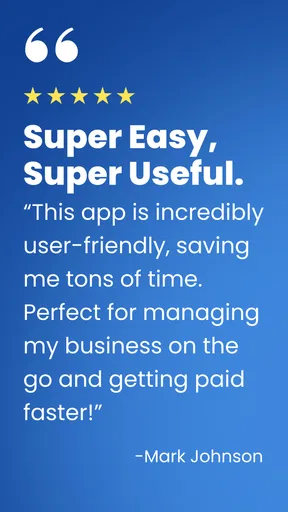
The first thing I noticed about Invoice Maker - Invoice Fly is just how user-friendly it is. Setting it up was a breeze. They really took the "plug and play" approach, which I appreciated. All you need to do is download the app, and you’re pretty much good to go. It doesn’t bombard you with a complicated setup process, which is always a plus in my book.
Once you're in, the interface is clean and intuitive. Everything is laid out in a way that makes sense, and you won’t find yourself scratching your head trying to figure out where to go next. The dashboard gives you a quick overview of your invoices, expenses, and clients, which is super handy for a quick check-in.
Features That Stand Out
Now, let’s talk about what you can actually do with it. This app isn’t just about creating invoices. It’s more of a comprehensive tool for managing your finances. Here are some of the features that really stood out to me:
- Customizable Invoices: You can tailor your invoices to match your brand. Add your logo, tweak the colors, and customize the fields to suit your needs. It’s all about making your invoices look professional.
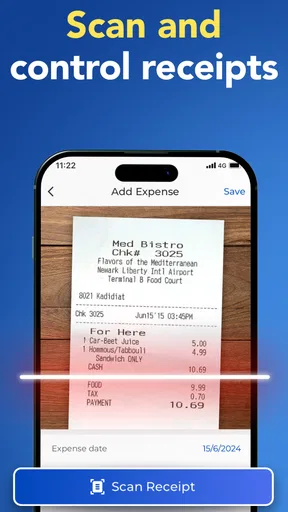
- Expense Tracking: Keeping track of expenses is a breeze. You can categorize expenses, attach receipts, and even get a snapshot of your spending patterns. It’s like having a mini accountant in your pocket.
- Client Management: The app allows you to store client information, making it easy to pull up details when creating invoices or checking payment histories.
- Reports and Analytics: This feature is gold. You can generate reports to see how your business is doing, which is great for making informed decisions.
Why You Might Love It
There are several reasons why you might find yourself falling in love with this app. First off, it saves time. The whole idea is to streamline the invoicing and expense tracking process, so you can focus on what really matters: growing your business. Plus, the ability to generate and send invoices on the go is a game-changer, especially if you’re always on the move.
Another thing worth mentioning is the support system. If you ever find yourself stuck, the help section is there to guide you through. And if that doesn’t cut it, their customer support is pretty responsive, which is always a relief.
Some Things to Consider
Of course, no app is perfect, and Invoice Maker - Invoice Fly is no exception. One thing to keep in mind is that while the free version is quite robust, some features are locked behind a paywall. If you’re serious about using this app for your business, it might be worth considering the premium version for full access.
Another aspect is the learning curve. While it's generally easy to use, if you're not tech-savvy, you might need a bit of time to get used to all the features. But once you get the hang of it, it's smooth sailing.
Lastly, the app is primarily designed with small to medium businesses in mind. If you’re running a large corporation, you might find it lacking in some advanced features you’d need.
Final Thoughts
All in all, Invoice Maker - Invoice Fly is a solid app for anyone looking to streamline their invoicing and expense tracking. Its ease of use, combined with a robust set of features, makes it a great choice for freelancers, small business owners, and anyone in between. If you’re on the hunt for an app that can handle your invoicing needs without giving you a headache, give this one a shot. You might just find it’s exactly what you’ve been looking for.
A sensible way to test the fit
Before making it part of your regular routine, I would try one complete example from start to finish: add a client, prepare a modest estimate, and then check whether the finished document reflects the terms you actually use. Look closely at the labels and fields that matter to your work, not just the visual style. A template can look polished yet still be awkward if your services need explanations or your billing arrangements do not fit a standard layout.
That test also helps answer whether mobile entry is genuinely helpful for you. Some people prefer to draft documents on a phone while traveling between jobs; others find longer descriptions and careful number checks easier on a larger screen. I see the app’s strongest role as handling short, familiar tasks quickly, with a deliberate final review before sending. For complex proposals, detailed cost breakdowns, or documents that require several rounds of editing, a computer may remain the more comfortable place to work.
Keeping the paperwork useful later
Invoices and receipts are only valuable if you can make sense of them weeks or months later. I would use consistent client names and clear descriptions, and avoid vague entries that make sense only in the moment. If you categorize expenses, choose categories you will recognize when reviewing your spending; creating too many labels can turn quick capture into a chore, while using one catch-all category makes later review less informative.
There is a useful trade-off here: recording an expense as soon as it happens reduces the chance of losing the receipt, but entering it quickly can also lead to the wrong category or an incomplete note. A short pause to verify the date, amount, and business purpose is a better habit than treating mobile convenience as a reason to skip accuracy. For anyone who shares financial duties with a bookkeeper, a consistent naming routine can also make later handoff less confusing.
What to check before paying
The free starting point makes it possible to judge whether the basic document workflow suits you, but I would not assume that every feature needed for a particular business is included without cost. In-app purchase options span a wide range, so identify the specific task you need—such as a certain document workflow or reporting capability—and confirm that it is available in the plan you are considering. This is a better decision than upgrading simply because a prompt appears while you are in the middle of preparing a client document.
Think too about how often you will use the app. If you send a few simple invoices each month, paying for extras may not be worthwhile; if mobile paperwork saves repeated interruptions during a busy working week, a paid option could be easier to justify. The right value calculation is personal: compare the time saved with the recurring cost and with the effort of maintaining another tool. I would make that call only after trying the actual steps I expect to repeat.
My recommendation
Invoice Fly is strongest as a convenient, approachable companion for everyday business documents, not as a replacement for every financial tool a growing company might need. I like the idea of keeping client information, invoices, estimates, and expense notes within reach, especially for people whose work takes them away from a desk. Its mobile-first usefulness is also its boundary: users who need sophisticated accounting controls, team-wide approvals, or deep customization should compare it with a fuller platform before moving their whole operation.
Privacy and Permissions
See what permissions an app requests and how it handles your data.
- Contacts
- read your contacts
- Photos/Media/Files
- read the contents of your USB storage, modify or delete the contents of your USB storage
- Storage
- read the contents of your USB storage, modify or delete the contents of your USB storage
- Camera
- take pictures and videos
- Microphone
- record audio
- Other
- view network connections, full network access, run at startup, control vibration, prevent device from sleeping, Google Play license check, read Google service configuration
Verdict
Strengths of Invoice Maker - Invoice Fly
- User-friendly interface for quick invoicing.
- Customizable templates for branding.
- Supports multiple currencies and languages.
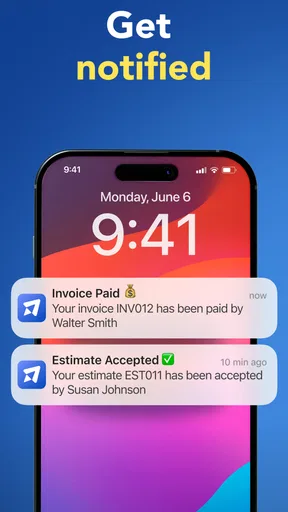
- Real-time invoice tracking and notifications.
- Secure cloud storage for all invoices.
Limitations of Invoice Maker - Invoice Fly
- Limited free version features.
- No offline mode available.
- Occasional syncing issues.
- Customer support can be slow.
- Subscription can be pricey for small businesses.
Other Releases by Labhouse Mobile
View All
Summary - AI Note Taker
Productivity4.6
Similar Picks in This Category
View All
LinkedIn: Community & Network
LinkedIn3.8

Zoom Workplace
zoom.com4.1

Microsoft Teams
Microsoft Corporation4.6

Meta Business Suite
Meta Platforms, Inc.4.6

Webex Meetings
Cisco Systems, Inc.4.5

TeamViewer Remote Control
TeamViewer4.4
Frequently Asked Questions
What features does Invoice Maker - Invoice Fly offer?
Invoice Maker - Invoice Fly provides a comprehensive set of features including customizable invoice templates, expense tracking, and client management. It also supports multiple currencies and tax calculations, making it ideal for freelancers and small businesses looking to streamline their invoicing process efficiently.
Is Invoice Maker - Invoice Fly user-friendly for beginners?
Yes, Invoice Maker - Invoice Fly is designed with an intuitive interface that is easy to navigate even for beginners. Users can quickly create professional invoices without prior experience. The app includes helpful tutorials and customer support to assist new users in getting started.
Can I use Invoice Maker - Invoice Fly offline?
Invoice Maker - Invoice Fly does offer offline capabilities, allowing users to create and edit invoices without an internet connection. However, to send invoices or sync data across devices, an internet connection is required. This feature is useful for those who work on-the-go or in areas with limited connectivity.
What platforms is Invoice Maker - Invoice Fly available on?
Invoice Maker - Invoice Fly is available for both Android and iOS devices. This ensures compatibility with a wide range of smartphones and tablets, allowing users to manage their invoicing needs directly from their preferred device, whether they are using Android or Apple products.
Is there a free version of Invoice Maker - Invoice Fly available?
Invoice Maker - Invoice Fly offers a free version with basic features suitable for individuals and small businesses. However, for more advanced features like premium templates, additional cloud storage, and enhanced reporting, users can upgrade to the paid version. This flexibility allows users to choose according to their specific needs and budget.
